
More Writing




Author: Kasandra Murray
As the owner of Unlucky Umbrella Studio, Kasandra focuses on the importance of growing marketing and operations together. She has over a decade of experience in management, operations, and marketing. She aims to help businesses resolve critical issues and increase revenue, which leads to happier clients and a better work culture.
In this tutorial, we walk through how to find your Google Place ID for a Google Business Profile when you are a service‑based business without a physical address. Many service‑area businesses hide their address in Google Business Profile, which can make locating a Place ID confusing. Our team explains a reliable process you can use, even if your business does not have a storefront or a public location.
Video Tutorial on How to Find Your Google Place ID
Written Tutorial on How to Find Your Google Place ID
1) Open up an incognito Tab
I recommend opening an incognito tab so that when you search for your business, you get the standard Google Business Profile view, not the owner's view.
2) Right-click the Write a Review Button > Inspect
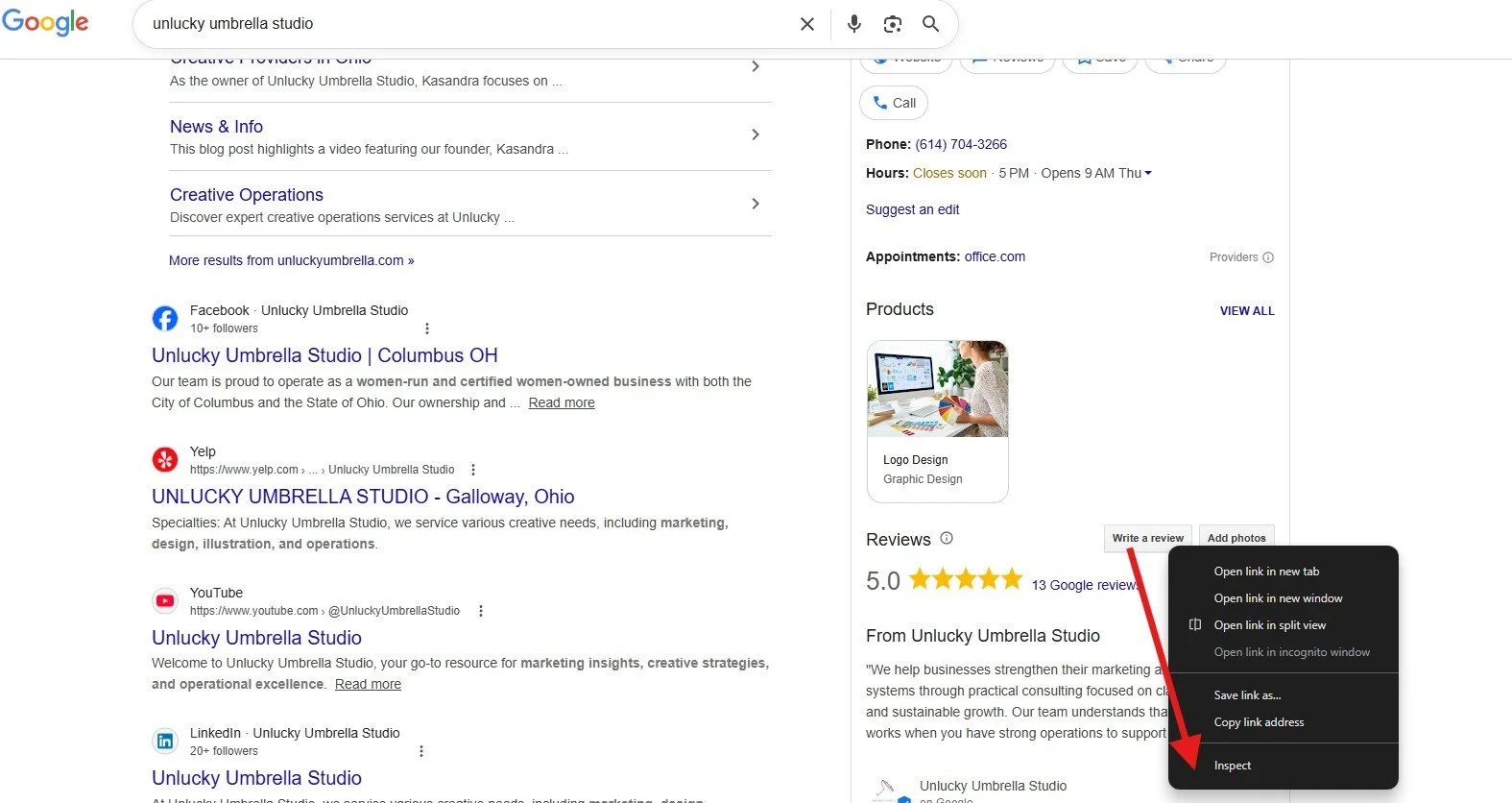
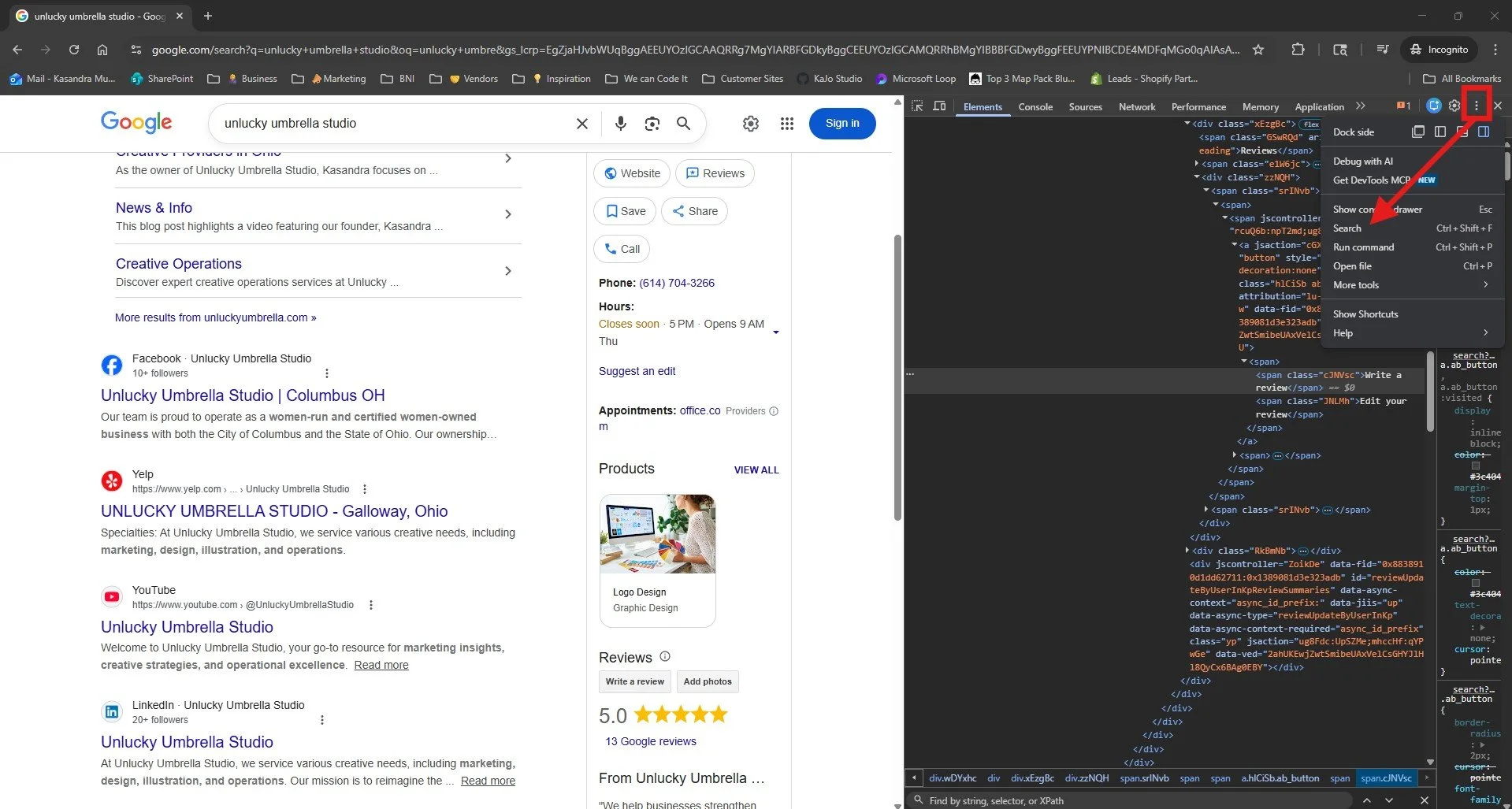
3) Search for the block of code that has your Google Place ID
a) Click the ellipse (three vertical dots) > Search
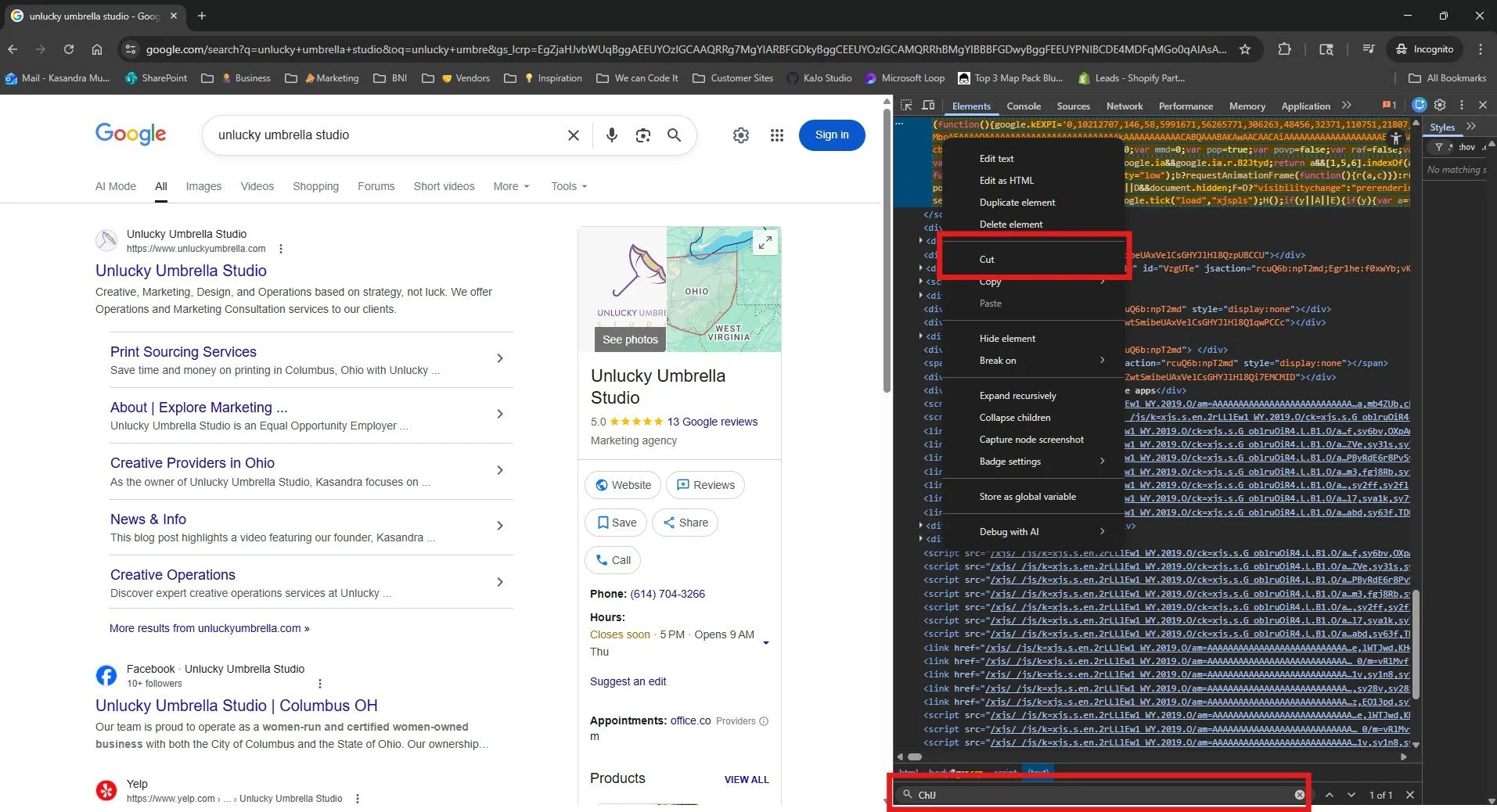
b) In the search bar, type ChIJ
4) Cut the code
5) Paste the code in a Notepad file
6) Search for ChIJ within the file
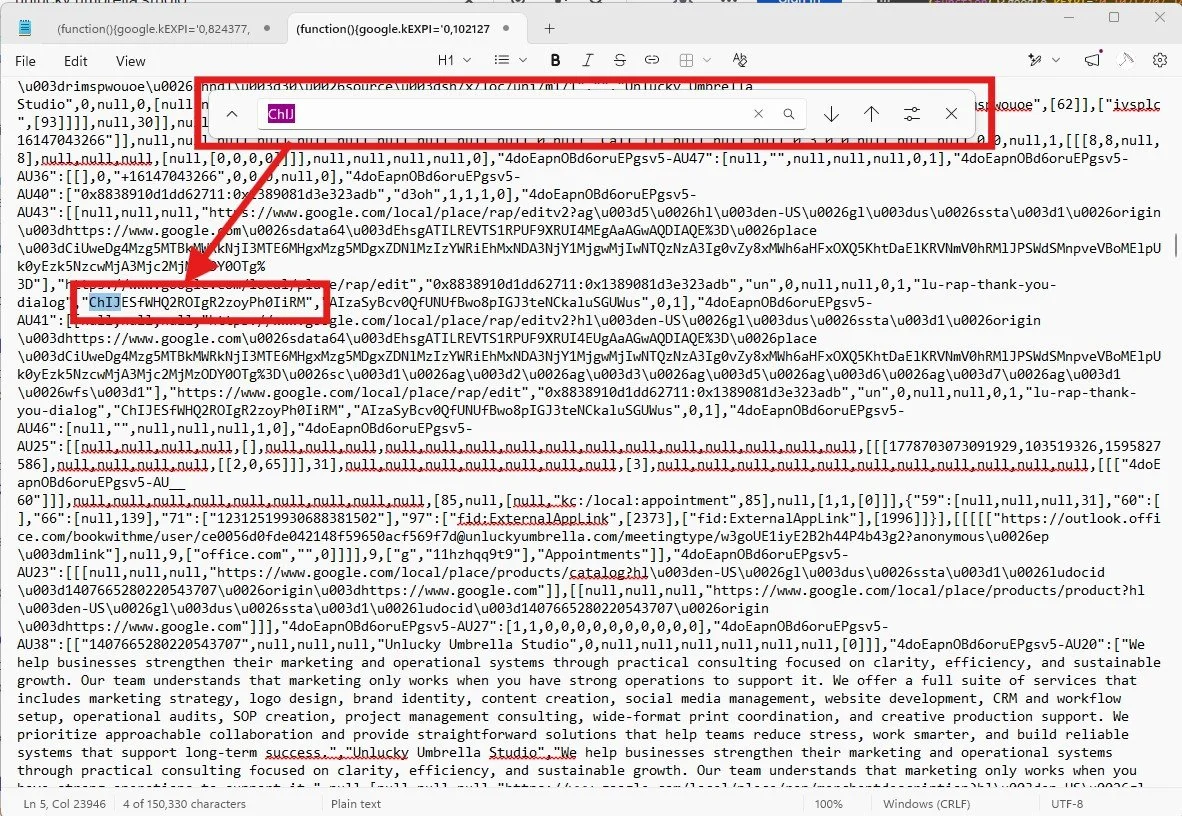
7) Copy your Google Place ID
It will be between the two quotation marks and start with ChIJ.
8) Test the ID
a) Paste this URL in your browser with your place ID
https://www.google.com/maps/search/?api=1&query=Google&query_place_id=[YOUR PLACE ID HERE]
b) If it navigates to your business, then you have the correct ID!
Need Help Finding Your Place ID?
Contact us today, and our team can help!

Employee retention has become a major challenge for print shops facing ongoing labor shortages and hiring difficulties. This article explores four proven employee retention strategies that can help reduce employee turnover.